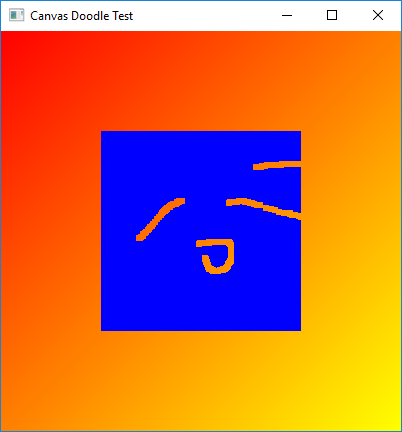
After dragging mouse over canvas:
CanvasDoodleTest.java
//package canvastest;

import javafx.application.Application;
import javafx.event.EventHandler;
import javafx.scene.Group;
import javafx.scene.Scene;
import javafx.scene.canvas.Canvas;
import javafx.scene.canvas.GraphicsContext;
import javafx.scene.input.MouseEvent;
import javafx.scene.paint.Color;
import javafx.scene.paint.CycleMethod;
import javafx.scene.paint.LinearGradient;
import javafx.scene.paint.Stop;
import javafx.scene.shape.Rectangle;
import javafx.stage.Stage;

public class CanvasDoodleTest extends Application {

    public static void main(String[] args) {
        launch(args);
    }

    /**
     * Resets the canvas to its original look by filling in a rectangle covering
     * its entire width and height. Color.BLUE is used in this demo.
     *
     * @param canvas The canvas to reset
     * @param color The color to fill
     */
    private void reset(Canvas canvas, Color color) {
        GraphicsContext gc = canvas.getGraphicsContext2D();
        gc.setFill(color);
        gc.fillRect(0, 0, canvas.getWidth(), canvas.getHeight());
    }

    @Override
    public void start(Stage primaryStage) {
        primaryStage.setTitle("Canvas Doodle Test");
        Group root = new Group();

        // Draw background with gradient
        Rectangle rect = new Rectangle(400, 400);
        drawBackground(rect);
        root.getChildren().add(rect);

        // Create the Canvas, filled in with Blue
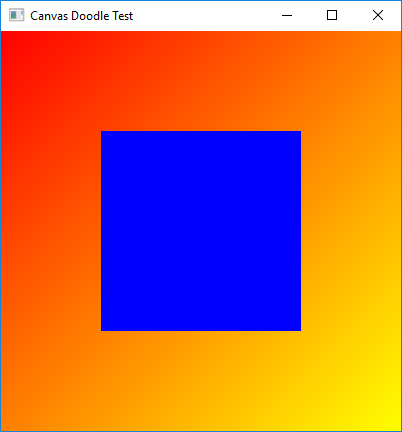
        final Canvas canvas = new Canvas(200, 200);
        canvas.setTranslateX(100);
        canvas.setTranslateY(100);
        reset(canvas, Color.BLUE);

        final GraphicsContext gc = canvas.getGraphicsContext2D();

        // Clear away portions as the user drags the mouse
        canvas.addEventHandler(MouseEvent.MOUSE_DRAGGED, new EventHandler<MouseEvent>() {
            @Override
            public void handle(MouseEvent e) {

                gc.clearRect(e.getX() - 2, e.getY() - 2, 5, 5);
            }
        });

        // Fill the Canvas with a Blue rectnagle when the user double-clicks
        canvas.addEventHandler(MouseEvent.MOUSE_CLICKED, new EventHandler<MouseEvent>() {
            @Override
            public void handle(MouseEvent t) {
                if (t.getClickCount() >1) {
                    reset(canvas, Color.BLUE);
                }
            }
        });

        // Add the Canvas to the Scene, and show the Stage
        root.getChildren().add(canvas);
        primaryStage.setScene(new Scene(root, 400, 400));
        primaryStage.show();
    }

    /**
     * Draws the background with a RadialGradient
     * that transitions from Red to Yellow.
     * @param rect the Rectangle to draw on the Canvas
     */
    private void drawBackground(Rectangle rect) {
        rect.setFill(new LinearGradient(0, 0, 1, 1, true,
                CycleMethod.REFLECT,
                new Stop(0, Color.RED),
                new Stop(1, Color.YELLOW)));
    }
}
Maintained by John Loomis, updated Sat Jan 20 12:44:46 2018