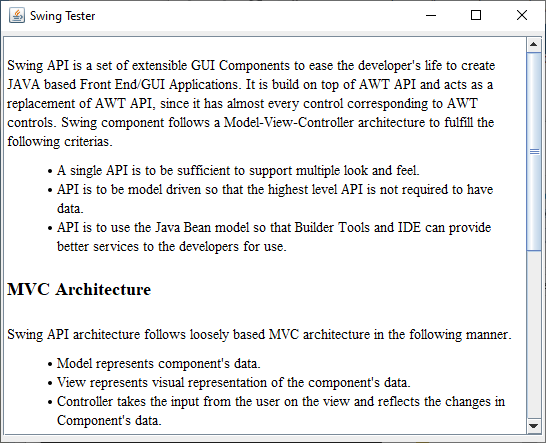
We are using the following APIs.
JEditorPane – To create a editor box to display an HTML content.
jEditorPane.setPage(URL url) – To get HTML from a url passed and display.
Note this is not a web browser – links may appear but will not work.
Reference for SwingTester tutorialspoint.com
SwingTester.javaimport java.awt.BorderLayout;
import java.awt.Dimension;
import java.awt.FlowLayout;
import java.awt.LayoutManager;
import java.io.IOException;
import java.net.URL;
import javax.swing.JEditorPane;
import javax.swing.JFrame;
import javax.swing.JPanel;
import javax.swing.JScrollPane;
public class SwingTester {
public static void main(String[] args) {
createWindow();
}
private static void createWindow() {
JFrame frame = new JFrame("Swing Tester");
frame.setDefaultCloseOperation(JFrame.EXIT_ON_CLOSE);
createUI(frame);
frame.setSize(560, 450);
frame.setLocationRelativeTo(null);
frame.setVisible(true);
}
private static void createUI(final JFrame frame){
JPanel panel = new JPanel();
LayoutManager layout = new FlowLayout();
panel.setLayout(layout);
JEditorPane jEditorPane = new JEditorPane();
jEditorPane.setEditable(false);
URL url= SwingTester.class.getResource("test.html");
try {
jEditorPane.setPage(url);
} catch (IOException e) {
jEditorPane.setContentType("text/html");
jEditorPane.setText("<html>Page not found.</html>");
}
JScrollPane jScrollPane = new JScrollPane(jEditorPane);
jScrollPane.setPreferredSize(new Dimension(540,400));
panel.add(jScrollPane);
frame.getContentPane().add(panel, BorderLayout.CENTER);
}
}
Maintained by John Loomis, updated Sat Apr 18 11:05:44 2020