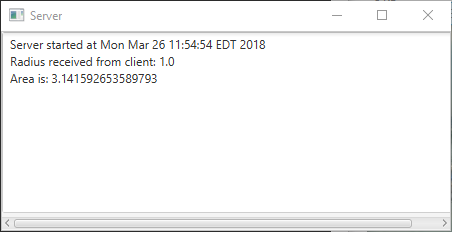

See Client.java
Server.javaimport java.io.*;
import java.net.*;
import java.util.Date;
import javafx.application.Application;
import javafx.application.Platform;
import javafx.scene.Scene;
import javafx.scene.control.ScrollPane;
import javafx.scene.control.TextArea;
import javafx.stage.Stage;
public class Server extends Application {
@Override // Override the start method in the Application class
public void start(Stage primaryStage) {
// Text area for displaying contents
TextArea ta = new TextArea();
// Create a scene and place it in the stage
Scene scene = new Scene(new ScrollPane(ta), 450, 200);
primaryStage.setTitle("Server"); // Set the stage title
primaryStage.setScene(scene); // Place the scene in the stage
primaryStage.show(); // Display the stage
new Thread( () -> {
try {
// Create a server socket
ServerSocket serverSocket = new ServerSocket(8000);
Platform.runLater(() ->
ta.appendText("Server started at " + new Date() + '\n'));
// Listen for a connection request
Socket socket = serverSocket.accept();
// Create data input and output streams
DataInputStream inputFromClient = new DataInputStream(
socket.getInputStream());
DataOutputStream outputToClient = new DataOutputStream(
socket.getOutputStream());
while (true) {
// Receive radius from the client
double radius = inputFromClient.readDouble();
// Compute area
double area = radius * radius * Math.PI;
// Send area back to the client
outputToClient.writeDouble(area);
Platform.runLater(() -> {
ta.appendText("Radius received from client: "
+ radius + '\n');
ta.appendText("Area is: " + area + '\n');
});
}
}
catch(IOException ex) {
ex.printStackTrace();
}
}).start();
}
/**
* The main method is only needed for the IDE with limited
* JavaFX support. Not needed for running from the command line.
*/
public static void main(String[] args) {
launch(args);
}
}
Maintained by John Loomis, updated Mon Mar 26 11:56:56 2018