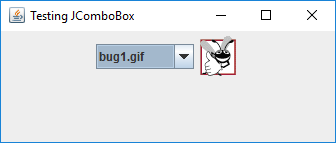
Dynamic application
ComboBoxTest.java// Fig. 12.22: ComboBoxTest.java
// JComboBox that displays a list of image names.
import java.awt.FlowLayout;
import java.awt.event.ItemListener;
import java.awt.event.ItemEvent;
import javax.swing.JFrame;
import javax.swing.JLabel;
import javax.swing.JComboBox;
import javax.swing.Icon;
import javax.swing.ImageIcon;
class ComboBoxFrame extends JFrame
{
private final JComboBox<String> imagesJComboBox; // hold icon names
private final JLabel label; // displays selected icon
private static final String[] names =
{"bug1.gif", "bug2.gif", "travelbug.gif", "buganim.gif"};
private final Icon[] icons = {
new ImageIcon(getClass().getResource(names[0])),
new ImageIcon(getClass().getResource(names[1])),
new ImageIcon(getClass().getResource(names[2])),
new ImageIcon(getClass().getResource(names[3]))};
// ComboBoxFrame constructor adds JComboBox to JFrame
public ComboBoxFrame()
{
super("Testing JComboBox");
setLayout(new FlowLayout()); // set frame layout
imagesJComboBox = new JComboBox<String>(names); // set up JComboBox
imagesJComboBox.setMaximumRowCount(3); // display three rows
imagesJComboBox.addItemListener(
new ItemListener() // anonymous inner class
{
// handle JComboBox event
@Override
public void itemStateChanged(ItemEvent event)
{
// determine whether item selected
if (event.getStateChange() == ItemEvent.SELECTED)
label.setIcon(icons[
imagesJComboBox.getSelectedIndex()]);
}
} // end anonymous inner class
); // end call to addItemListener
add(imagesJComboBox); // add combobox to JFrame
label = new JLabel(icons[0]); // display first icon
add(label); // add label to JFrame
}
} // end class ComboBoxFrame
public class ComboBoxTest
{
public static void main(String[] args)
{
ComboBoxFrame comboBoxFrame = new ComboBoxFrame();
comboBoxFrame.setDefaultCloseOperation(JFrame.EXIT_ON_CLOSE);
comboBoxFrame.setSize(350, 150);
comboBoxFrame.setVisible(true);
}
} // end class ComboBoxTest
Maintained by John Loomis, updated Sat Feb 11 17:03:48 2017